Soporte > FJD PaintMaster Pro
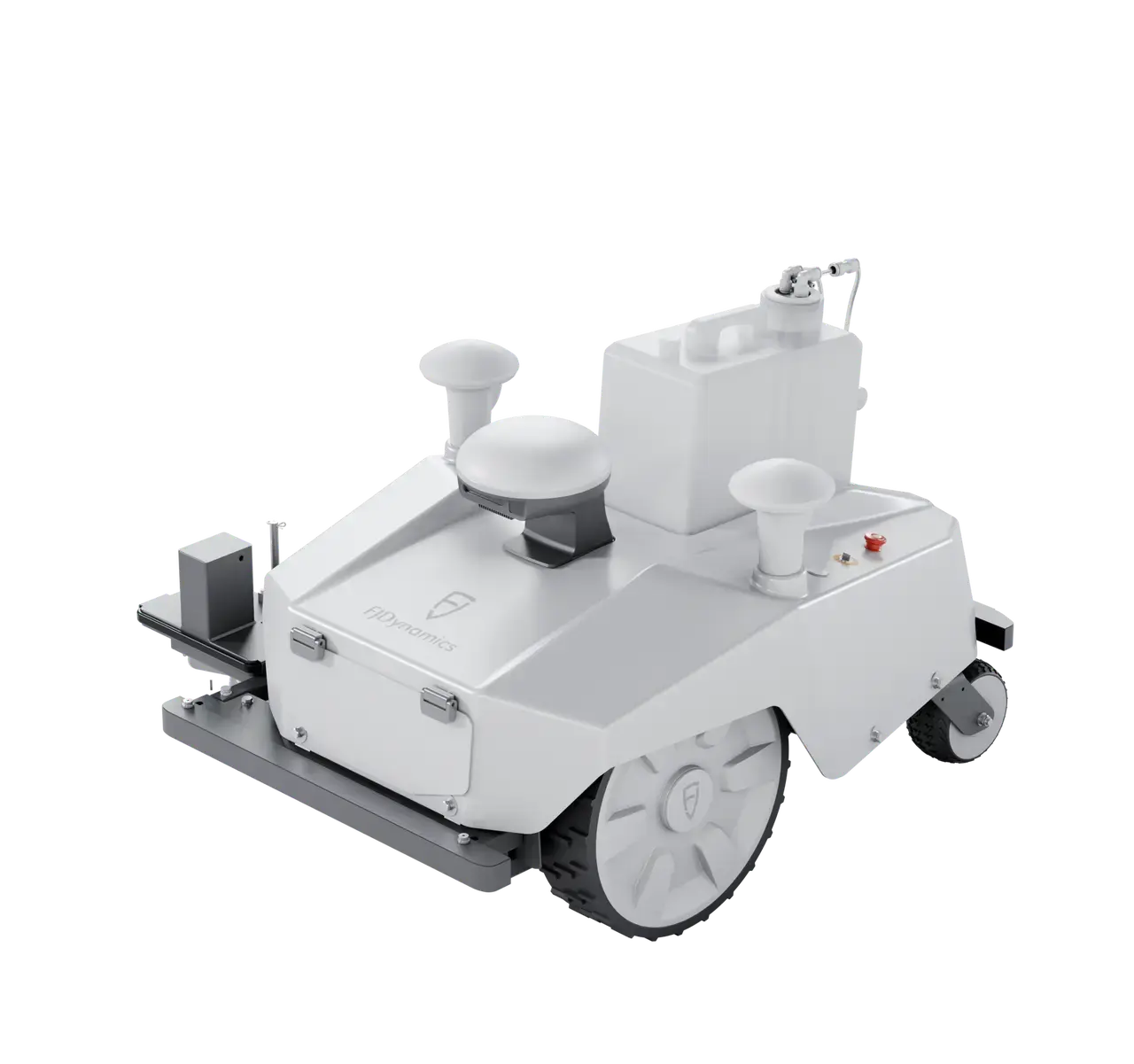
Folleto
Manual de usuario
Guía de inicio rápido
Desembalaje
Vídeo tutorial
Preguntas frecuentes
Inglés
Alemán
Francés
Japonés
Español
Italiano
Otro
Inglés
Francés
Alemán
Japonés
Español
Italiano
Inglés
Francés
Alemán
Japonés
Español
Italiano
Inglés
Portugués
Japonés
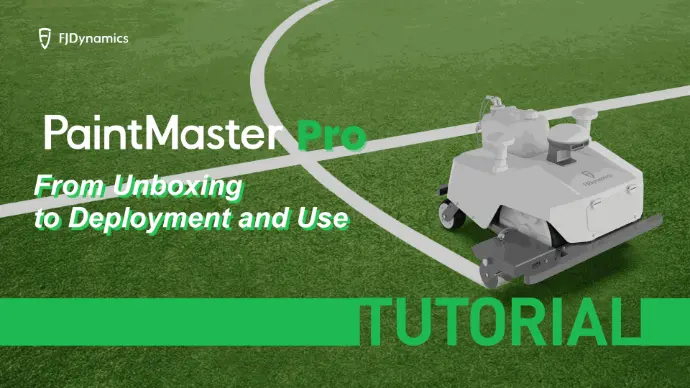
Desde el desempaquetado hasta la implementación y el uso
Configurar un campo de fútbol con solo dos esquinas
Configurar un campo de fútbol con solo dos esquinas
Configurar un campo de fútbol con solo dos esquinas
Configurar un campo de fútbol con solo dos esquinas
Configurar un campo de fútbol con solo dos esquinas
Configurar un campo de fútbol con solo dos esquinas
Configurar un campo de fútbol con solo dos esquinas
Configurar un campo de fútbol con solo dos esquinas
Configurar un campo de fútbol con solo dos esquinas
Configurar un campo de fútbol con solo dos esquinas
Configurar un campo de fútbol con solo dos esquinas
Configurar un campo de fútbol con solo dos esquinas
Configurar un campo de fútbol con solo dos esquinas
Configurar un campo de fútbol con solo dos esquinas
Configurar un campo de fútbol con solo dos esquinas
Configurar un campo de fútbol con solo dos esquinas
Configurar un campo de fútbol con solo dos esquinas
Configurar un campo de fútbol con solo dos esquinas
Configurar un campo de fútbol con solo dos esquinas
Configurar un campo de fútbol con solo dos esquinas
Configurar un campo de fútbol con solo dos esquinas
Configurar un campo de fútbol con solo dos esquinas
Configurar un campo de fútbol con solo dos esquinas
Configurar un campo de fútbol con solo dos esquinas
Configurar un campo de fútbol con solo dos esquinas
Configurar un campo de fútbol con solo dos esquinas
Configurar un campo de fútbol con solo dos esquinas
Configurar un campo de fútbol con solo dos esquinas
Configurar un campo de fútbol con solo dos esquinas
Configurar un campo de fútbol con solo dos esquinas
Configurar un campo de fútbol con solo dos esquinas
Configurar un campo de fútbol con solo dos esquinas
Configurar un campo de fútbol con solo dos esquinas
Configurar un campo de fútbol con solo dos esquinas
Configurar un campo de fútbol con solo dos esquinas
Configurar un campo de fútbol con solo dos esquinas
Inglés
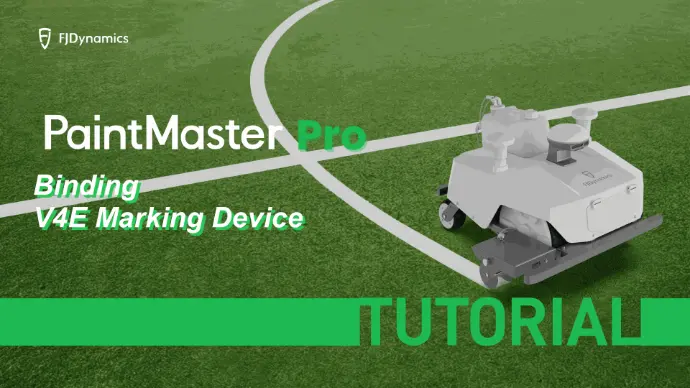
Vinculación del dispositivo de marcaje V4E
Resumen de funciones de la página de inicio
Cómo descargar la aplicación
Cómo editar y cargar mapas a través de la plataforma web
Cómo cartografiar usando el dispositivo integrado
Cómo registrarse e iniciar sesión en la aplicación
Cómo actualizar el firmware y el software
Inicialización previa a la operación
Guía de instalación y carga de la batería
Guía de sustitución de la bomba de diafragma
Guía de sustitución del filtro
Introducción a los botones de la máquina
Guía de sustitución de la boquilla
Guía de instalación de la tarjeta SIM
Calibración del pulverizador
Configurar un campo de fútbol con solo dos esquinas
Configurar un campo de fútbol con solo dos esquinas
Configurar un campo de fútbol con solo dos esquinas
Configurar un campo de fútbol con solo dos esquinas
Configurar un campo de fútbol con solo dos esquinas
Configurar un campo de fútbol con solo dos esquinas
Configurar un campo de fútbol con solo dos esquinas
Configurar un campo de fútbol con solo dos esquinas
Configurar un campo de fútbol con solo dos esquinas
Configurar un campo de fútbol con solo dos esquinas
Configurar un campo de fútbol con solo dos esquinas
Configurar un campo de fútbol con solo dos esquinas
Configurar un campo de fútbol con solo dos esquinas
Configurar un campo de fútbol con solo dos esquinas
Configurar un campo de fútbol con solo dos esquinas
Configurar un campo de fútbol con solo dos esquinas
Configurar un campo de fútbol con solo dos esquinas
Configurar un campo de fútbol con solo dos esquinas
Configurar un campo de fútbol con solo dos esquinas
Configurar un campo de fútbol con solo dos esquinas
Configurar un campo de fútbol con solo dos esquinas
Configurar un campo de fútbol con solo dos esquinas
Configurar un campo de fútbol con solo dos esquinas
Configurar un campo de fútbol con solo dos esquinas
Configurar un campo de fútbol con solo dos esquinas
Configurar un campo de fútbol con solo dos esquinas
Configurar un campo de fútbol con solo dos esquinas
Configurar un campo de fútbol con solo dos esquinas
Configurar un campo de fútbol con solo dos esquinas
Configurar un campo de fútbol con solo dos esquinas
Configurar un campo de fútbol con solo dos esquinas
Configurar un campo de fútbol con solo dos esquinas
Configurar un campo de fútbol con solo dos esquinas
Configurar un campo de fútbol con solo dos esquinas
Configurar un campo de fútbol con solo dos esquinas
Configurar un campo de fútbol con solo dos esquinas
Relacionado con la infraestructura
¿Cuáles son los requisitos ambientales para la disposición de la estación base del delimitador?
- Zona abierta;
- lo más alta posible;
- lo más despejada posible respecto al cortacésped;
- sin cambio de posición;
- fácil acceso a alimentación por cable
¿Cómo ajusto el ancho de línea en una máquina de marcaje?
- Ajuste el ancho de los deflectores y la altura de las boquillas de pulverización, ambos en combinación. Como se muestra en el diagrama de la derecha
- Ajustando la anchura entre los discos de pulverización, se puede conseguir una línea de pintura nítida. Si el cono de pulverización golpea los discos de pulverización en una zona alta, se pulverizará menos pintura sobre la línea. Si el cono de pulverización no golpea los discos de pulverización, la línea de pintura será menos nítida. La anchura del disco de pulverización debe ajustarse de modo que la parte inferior del cono de pulverización quede cerca de la parte inferior del disco de pulverización; se recomienda una distancia de 5•10 mm, como se muestra en la imagen de la derecha
¿A qué debo prestar atención en el mantenimiento de la máquina de marcaje?
Las consideraciones habituales de mantenimiento incluyen:
- El sistema de pulverización de pintura debe limpiarse rápidamente después de cada trabajo de marcado para evitar que la pintura residual en las líneas se adhiera a las paredes interiores de las líneas de pulverización.
- Inspeccione y limpie periódicamente las boquillas de pulverización y las tuberías para asegurarse de que no haya obstrucciones.• Cuando no se utilice durante un largo periodo de tiempo, vacíe los restos de pintura y limpie el equipo, prestando atención a los requisitos de almacenamiento.• Revise regularmente todas las piezas de la máquina para asegurarse de que estén en buen estado.
Cuando se retira el kit de marcado por cable o solo las piezas pulverizadas, ¿es necesario calibrar de nuevo cada vez que se vuelve a instalar? ¿O con qué frecuencia necesito calibrar?
- Normalmente solo es necesario calibrar la máquina en la primera instalación; en desmontajes e instalaciones posteriores normales no es necesario calibrar, porque cuando el usuario lo retira y lo vuelve a instalar, la posición de la boquilla no cambia, por lo que no hace falta volver a calibrar. A menos que los soportes sufran un golpe o deformación que provoque un desplazamiento de la posición del cabezal de impresión.
- Solo es necesario realizar la calibración de la máquina cuando la posición del cabezal de impresión se ha desplazado.
La máquina de marcaje no arranca
- Causas de la avería: voltaje insuficiente de la batería, botón de arranque dañado, fallo del motor, etc. Solución: compruebe el voltaje de la batería y asegúrese de que sea normal; compruebe el botón de arranque y asegúrese de que funcione correctamente; compruebe el motor y asegúrese de que funcione correctamente.
-
Solución: compruebe el voltaje de la batería y asegúrese de que sea normal; compruebe el botón de arranque y asegúrese de que funcione correctamente; compruebe el motor y asegúrese de que funcione correctamente.
¿Cómo configuro una estación base?
1.Confirme que se ha instalado el cable perimetral: Asegúrese de que el cable perimetral del área de trabajo designada para el robot (normalmente cables enterrados bajo tierra o fijados al suelo) se haya instalado correctamente y esté encendido.
2.Limpieza del césped: Antes de ponerlo en marcha por primera vez, retire piedras, ramas, juguetes y otros residuos del césped para evitar daños en la máquina o atascos.
3.Compruebe el cuerpo: Asegúrese de que el robot no presente daños importantes y de que las cuchillas estén instaladas de forma segura (si se utiliza por primera vez).
¿Cómo configuro una estación base?
1.Confirme que se ha instalado el cable perimetral: Asegúrese de que el cable perimetral del área de trabajo designada para el robot (normalmente cables enterrados bajo tierra o fijados al suelo) se haya instalado correctamente y esté encendido.
2.Limpieza del césped: Antes de ponerlo en marcha por primera vez, retire piedras, ramas, juguetes y otros residuos del césped para evitar daños en la máquina o atascos.
3.Compruebe el cuerpo: Asegúrese de que el robot no presente daños importantes y de que las cuchillas estén instaladas de forma segura (si se utiliza por primera vez).
¿Cómo configuro una estación base?
1.Confirme que se ha instalado el cable perimetral: Asegúrese de que el cable perimetral del área de trabajo designada para el robot (normalmente cables enterrados bajo tierra o fijados al suelo) se haya instalado correctamente y esté encendido.
2.Limpieza del césped: Antes de ponerlo en marcha por primera vez, retire piedras, ramas, juguetes y otros residuos del césped para evitar daños en la máquina o atascos.
3.Compruebe el cuerpo: Asegúrese de que el robot no presente daños importantes y de que las cuchillas estén instaladas de forma segura (si se utiliza por primera vez).
¿Cómo configuro una estación base?
1.Confirme que se ha instalado el cable perimetral: Asegúrese de que el cable perimetral del área de trabajo designada para el robot (normalmente cables enterrados bajo tierra o fijados al suelo) se haya instalado correctamente y esté encendido.
2.Limpieza del césped: Antes de ponerlo en marcha por primera vez, retire piedras, ramas, juguetes y otros residuos del césped para evitar daños en la máquina o atascos.
3.Compruebe el cuerpo: Asegúrese de que el robot no presente daños importantes y de que las cuchillas estén instaladas de forma segura (si se utiliza por primera vez).
¿Cómo configuro una estación base?
1.Confirme que se ha instalado el cable perimetral: Asegúrese de que el cable perimetral del área de trabajo designada para el robot (normalmente cables enterrados bajo tierra o fijados al suelo) se haya instalado correctamente y esté encendido.
2.Limpieza del césped: Antes de ponerlo en marcha por primera vez, retire piedras, ramas, juguetes y otros residuos del césped para evitar daños en la máquina o atascos.
3.Compruebe el cuerpo: Asegúrese de que el robot no presente daños importantes y de que las cuchillas estén instaladas de forma segura (si se utiliza por primera vez).
¿Cómo configuro una estación base?
1.Confirme que se ha instalado el cable perimetral: Asegúrese de que el cable perimetral del área de trabajo designada para el robot (normalmente cables enterrados bajo tierra o fijados al suelo) se haya instalado correctamente y esté encendido.
2.Limpieza del césped: Antes de ponerlo en marcha por primera vez, retire piedras, ramas, juguetes y otros residuos del césped para evitar daños en la máquina o atascos.
3.Compruebe el cuerpo: Asegúrese de que el robot no presente daños importantes y de que las cuchillas estén instaladas de forma segura (si se utiliza por primera vez).
¿Cómo configuro una estación base?
1.Confirme que se ha instalado el cable perimetral: Asegúrese de que el cable perimetral del área de trabajo designada para el robot (normalmente cables enterrados bajo tierra o fijados al suelo) se haya instalado correctamente y esté encendido.
2.Limpieza del césped: Antes de ponerlo en marcha por primera vez, retire piedras, ramas, juguetes y otros residuos del césped para evitar daños en la máquina o atascos.
3.Compruebe el cuerpo: Asegúrese de que el robot no presente daños importantes y de que las cuchillas estén instaladas de forma segura (si se utiliza por primera vez).
¿Cómo configuro una estación base?
1.Confirme que se ha instalado el cable perimetral: Asegúrese de que el cable perimetral del área de trabajo designada para el robot (normalmente cables enterrados bajo tierra o fijados al suelo) se haya instalado correctamente y esté encendido.
2.Limpieza del césped: Antes de ponerlo en marcha por primera vez, retire piedras, ramas, juguetes y otros residuos del césped para evitar daños en la máquina o atascos.
3.Compruebe el cuerpo: Asegúrese de que el robot no presente daños importantes y de que las cuchillas estén instaladas de forma segura (si se utiliza por primera vez).
¿Cómo configuro una estación base?
1.Confirme que se ha instalado el cable perimetral: Asegúrese de que el cable perimetral del área de trabajo designada para el robot (normalmente cables enterrados bajo tierra o fijados al suelo) se haya instalado correctamente y esté encendido.
2.Limpieza del césped: Antes de ponerlo en marcha por primera vez, retire piedras, ramas, juguetes y otros residuos del césped para evitar daños en la máquina o atascos.
3.Compruebe el cuerpo: Asegúrese de que el robot no presente daños importantes y de que las cuchillas estén instaladas de forma segura (si se utiliza por primera vez).
¿Cómo configuro una estación base?
1.Confirme que se ha instalado el cable perimetral: Asegúrese de que el cable perimetral del área de trabajo designada para el robot (normalmente cables enterrados bajo tierra o fijados al suelo) se haya instalado correctamente y esté encendido.
2.Limpieza del césped: Antes de ponerlo en marcha por primera vez, retire piedras, ramas, juguetes y otros residuos del césped para evitar daños en la máquina o atascos.
3.Compruebe el cuerpo: Asegúrese de que el robot no presente daños importantes y de que las cuchillas estén instaladas de forma segura (si se utiliza por primera vez).
¿Cómo configuro una estación base?
1.Confirme que se ha instalado el cable perimetral: Asegúrese de que el cable perimetral del área de trabajo designada para el robot (normalmente cables enterrados bajo tierra o fijados al suelo) se haya instalado correctamente y esté encendido.
2.Limpieza del césped: Antes de ponerlo en marcha por primera vez, retire piedras, ramas, juguetes y otros residuos del césped para evitar daños en la máquina o atascos.
3.Compruebe el cuerpo: Asegúrese de que el robot no presente daños importantes y de que las cuchillas estén instaladas de forma segura (si se utiliza por primera vez).